
Slack support shouldn't feel like a liability. With Foqal, it's your strongest channel.
Foqal gives your support team one inbox for every customer channel, SLA tracking from first message to close, and the metrics to turn Slack support into a revenue line.


Works inside the tools your team already uses every day.
No new portal. No new behavior. Customers keep messaging you in Slack. Your team finally has the structure to handle it.

Foqal for Slack
Every Slack Connect channel becomes a managed support queue. One inbox, full SLA visibility, and automated routing - without leaving Slack.

Foqal for Microsoft Teams
The same unified inbox, SLA tracking, and escalation routing - built natively for Teams. Same outcomes, no behavior change required from customers or agents.
Three reasons Slack support breaks down.
If you run customer support over Slack, at least one of these is why you're here.
Messages get missed, and nobody knows it
Customers reach out across dozens of Slack Connect channels, and there's no unified view. Messages go unnoticed, response times slip, and the first sign something's wrong is an angry customer escalation - not a dashboard alert.
No SLA visibility means no accountability
Your team is resolving conversations, but nobody can prove how fast or how many. There's no first-response tracking, no escalation logic, and no way to show leadership - or customers - that you're meeting the bar you promised.
Slack support is hard to sell without structure
The support experience you're delivering is premium. But without structure, metrics, and audit trails, it's impossible to package it as a paid offering or justify it internally as a revenue driver rather than a cost.
Structure without friction. For your team and your customers.
For customers, nothing changes. They keep messaging you in Slack the way they already do. For your support team, everything changes.
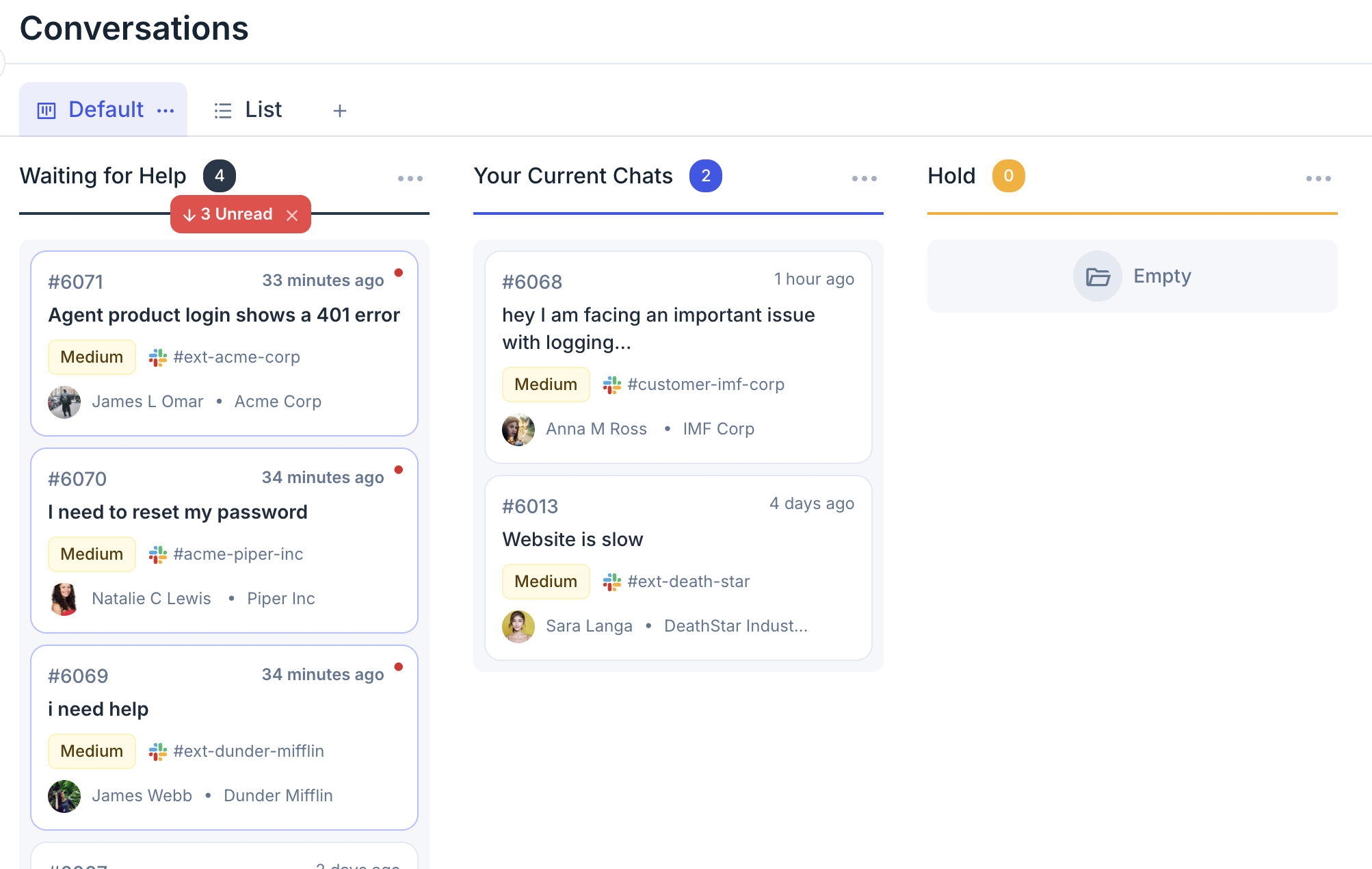
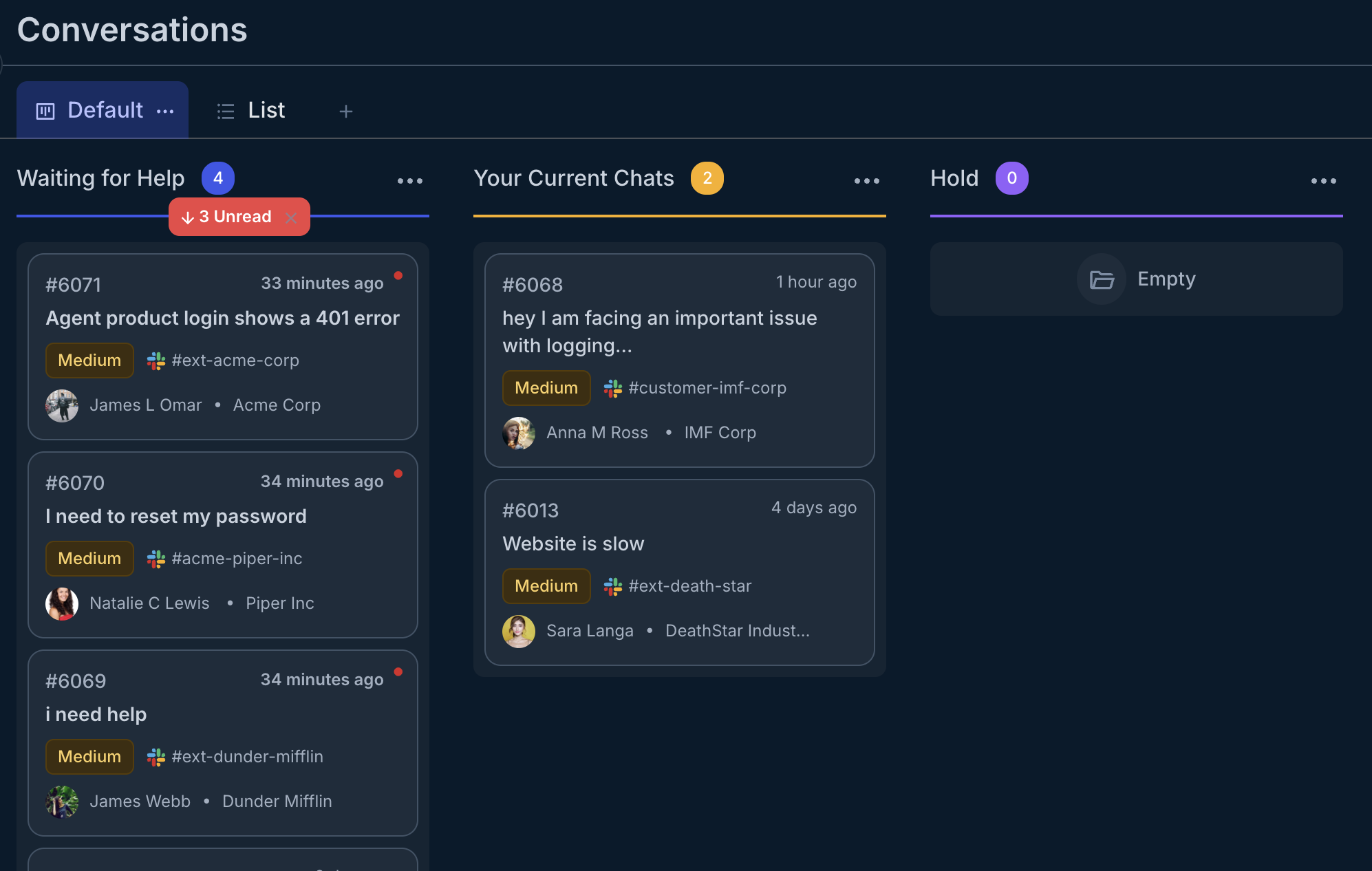
Every Slack Connect channel and Teams conversation flows into a single unified queue. No tab-switching, no missed messages, no guessing which channel that customer reached out on.
- Aggregate all customer channels in one place
- Works with Slack Connect, Teams, Intercom, and email
- Real-time sync across all platforms
- No messages lost in DMs or forgotten channels
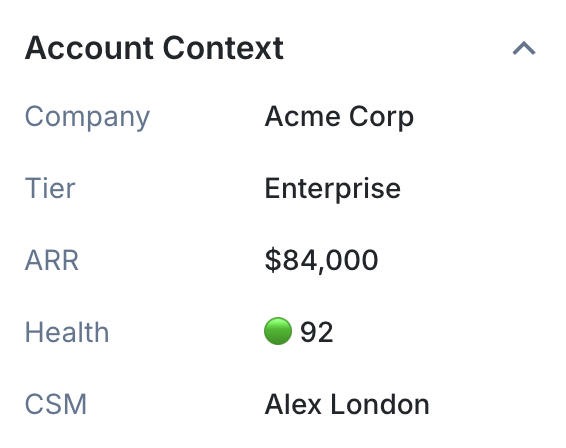
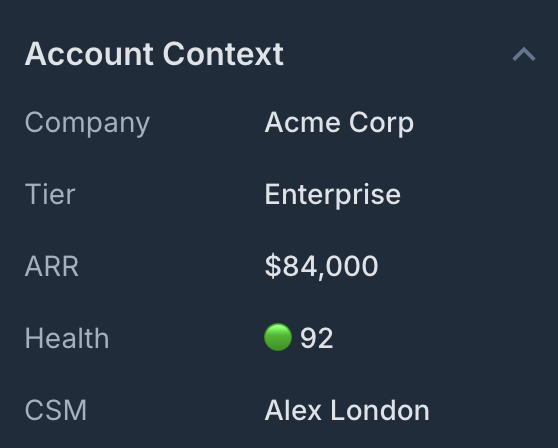
Customer tier, open opportunities, and health score pull automatically from Salesforce or HubSpot the moment a message arrives - so agents respond with full context, not just conversation history.
- CRM data enriches every conversation automatically
- High-value customers never wait in the standard queue
- ARR, tier, and health score visible at a glance
- No switching tabs to look up customer info
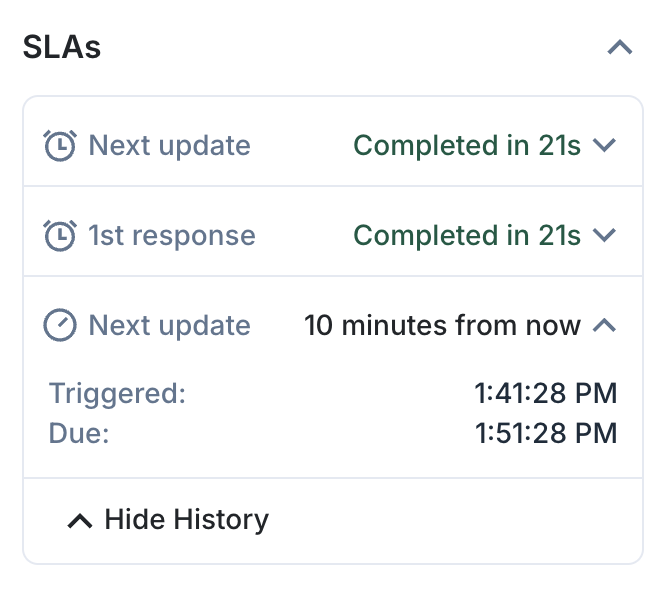
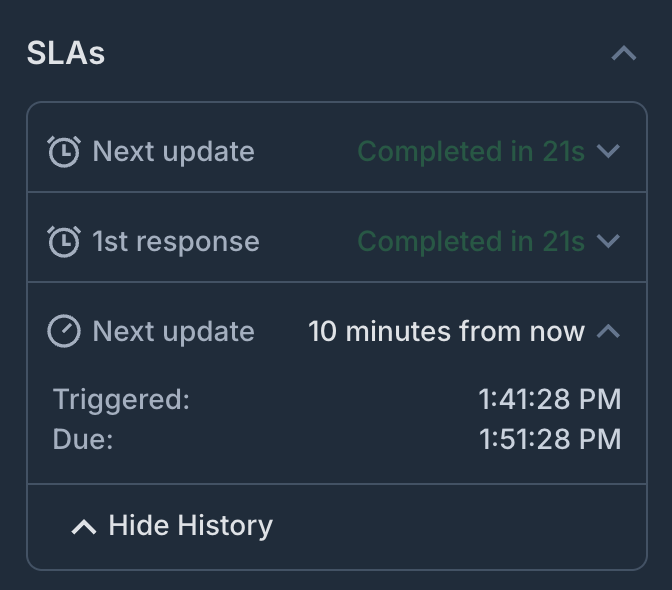
First-response timers start the moment a message arrives. Escalations trigger automatically before a breach - prioritized by customer tier. The whole system runs without anyone manually tracking response times.
- Automatic SLA timers from first message
- Escalations fire before breaches, not after
- Priority routing based on customer tier
- No manual tracking or spreadsheets required


Every interaction is timestamped, tagged, and reportable from day one. At the end of the quarter, you're not assembling a report - you're sharing one.
- Volume, response time, and resolution tracking
- Customer-level analytics and CSAT
- Deflection rates and AI performance metrics
- Export-ready reports for leadership
First-response timers start the moment a message arrives. Escalations trigger automatically before a breach - prioritized by customer tier. The whole system runs without anyone manually tracking response times.
- Automatic SLA timers from first message
- Escalations fire before breaches, not after
- Priority routing based on customer tier
- No manual tracking or spreadsheets required
Every interaction is timestamped, tagged, and reportable from day one. At the end of the quarter, you're not assembling a report - you're sharing one.
- Volume, response time, and resolution tracking
- Customer-level analytics and CSAT
- Deflection rates and AI performance metrics
- Export-ready reports for leadership
Every Slack Connect channel and Teams conversation flows into a single unified queue. No tab-switching, no missed messages, no guessing which channel that customer reached out on.
- Aggregate all customer channels in one place
- Works with Slack Connect, Teams, Intercom, and email
- Real-time sync across all platforms
- No messages lost in DMs or forgotten channels
Customer tier, open opportunities, and health score pull automatically from Salesforce or HubSpot the moment a message arrives - so agents respond with full context, not just conversation history.
- CRM data enriches every conversation automatically
- High-value customers never wait in the standard queue
- ARR, tier, and health score visible at a glance
- No switching tabs to look up customer info
First-response timers start the moment a message arrives. Escalations trigger automatically before a breach - prioritized by customer tier. The whole system runs without anyone manually tracking response times.
- Automatic SLA timers from first message
- Escalations fire before breaches, not after
- Priority routing based on customer tier
- No manual tracking or spreadsheets required
The support interactions your team handles every day - structured and tracked.
Each workflow connects to the tools you already use and runs inside the channels your customers are already in.
Bi-directional channel sync
Customer messages in Slack Connect, Teams, or Intercom become tracked tickets in Zendesk, Jira, or Salesforce - automatically. Replies sync back to the customer's channel so they never have to leave where they already are.


Customer channel setup
Dedicated Slack Connect channels per customer - with the right agents, routing rules, and channel settings already configured. No manual coordination to get a new customer set up and active.
Escalation routing & SLA enforcement
Requests route automatically by customer tier, ARR, urgency, or sentiment. SLA timers start the moment a message arrives. Escalations trigger before a breach - not after.
Customer analytics & reporting
Volume by customer, time to first response, resolution time, deflection rate, and CSAT - all tracked automatically from the conversations already happening. No manual tagging, no dashboard to build.
See all use cases
Explore more support workflows
What it looks like when Slack support actually works.
Connects to the systems your support team already uses
Pull customer data, route by account tier, and sync resolution status - without middleware or manual export.
Every team that handles requests can run on Foqal.
Customer support is where many teams start. But the same platform handles IT, HR, and cross-functional operations - without any structural changes.

IT Help Desk
Every IT request captured and routed automatically - across Slack, Teams, and email. Nothing disappears into a DM.

IT Operations
Structured request management, SLA tracking, and a full audit trail - running inside Slack and Teams, not alongside them.

HR & People Ops
Benefits questions, onboarding requests, and sensitive conversations - handled in Slack with the privacy and structure HR actually needs.
IT Help Desk
Every IT request captured and routed automatically - across Slack, Teams, and email. Nothing disappears into a DM.
IT Operations
Structured request management, SLA tracking, and a full audit trail - running inside Slack and Teams, not alongside them.
HR & People Ops
Benefits questions, onboarding requests, and sensitive conversations - handled in Slack with the privacy and structure HR actually needs.
IT Help Desk
Every IT request captured and routed automatically - across Slack, Teams, and email. Nothing disappears into a DM.
IT Operations
Structured request management, SLA tracking, and a full audit trail - running inside Slack and Teams, not alongside them.
HR & People Ops
Benefits questions, onboarding requests, and sensitive conversations - handled in Slack with the privacy and structure HR actually needs.
Things support teams usually ask us.

Your customers are already in Slack.
Give your team the infrastructure to make it your best channel - with SLA tracking, account context, and metrics that prove its value.